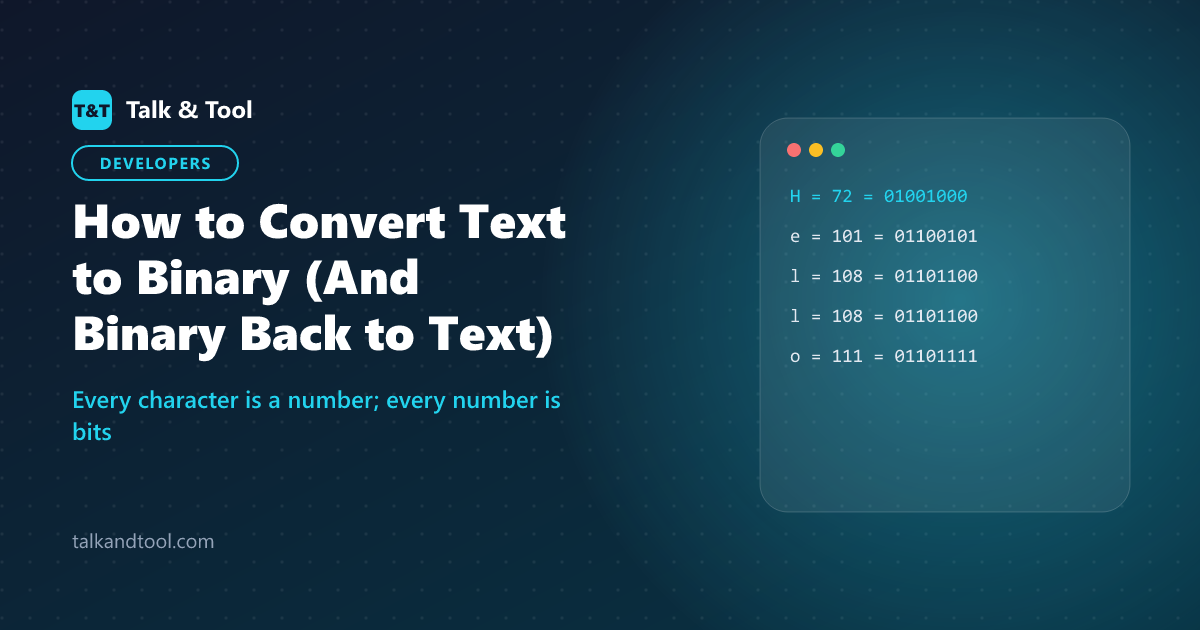
How to Convert Text to Binary (And Binary Back to Text)
To convert text to binary, look up the numeric code of each character (its ASCII value), write that number in base 2, and pad it to 8 digits. The letter H is 72, which is 01001000. "Hello" therefore becomes 01001000 01100101 01101100 01101100 01101111. To go back, split the binary into groups of eight, convert each group to a number, and look up the character.
Why text can be turned into binary at all
Computers store everything as numbers, and numbers as bits that are on or off. Text works by agreeing a table that assigns a number to each character. The original table is ASCII, which gives 128 characters a code from 0 to 127: capital letters run from 65 to 90, lowercase from 97 to 122, and digits from 48 to 57. Modern systems use Unicode, and the UTF-8 encoding of Unicode is designed so that its first 128 values are identical to ASCII. That is why the same method works for English text on every modern device.
Method: converting text to binary by hand
- Write down each character. Spaces and punctuation have codes too (space is 32).
- Find its decimal code from an ASCII table, or from the chart below.
- Convert to binary by repeatedly dividing by two and keeping the remainders, or by subtracting the largest powers of two: 128, 64, 32, 16, 8, 4, 2, 1.
- Pad to 8 digits with leading zeros so every character occupies one byte.
Worked example: the letter H (72). 72 − 64 = 8, and 8 is itself a power of two. So the 64 and 8 positions are 1, and the rest 0: 0 1 0 0 1 0 0 0 = 01001000.
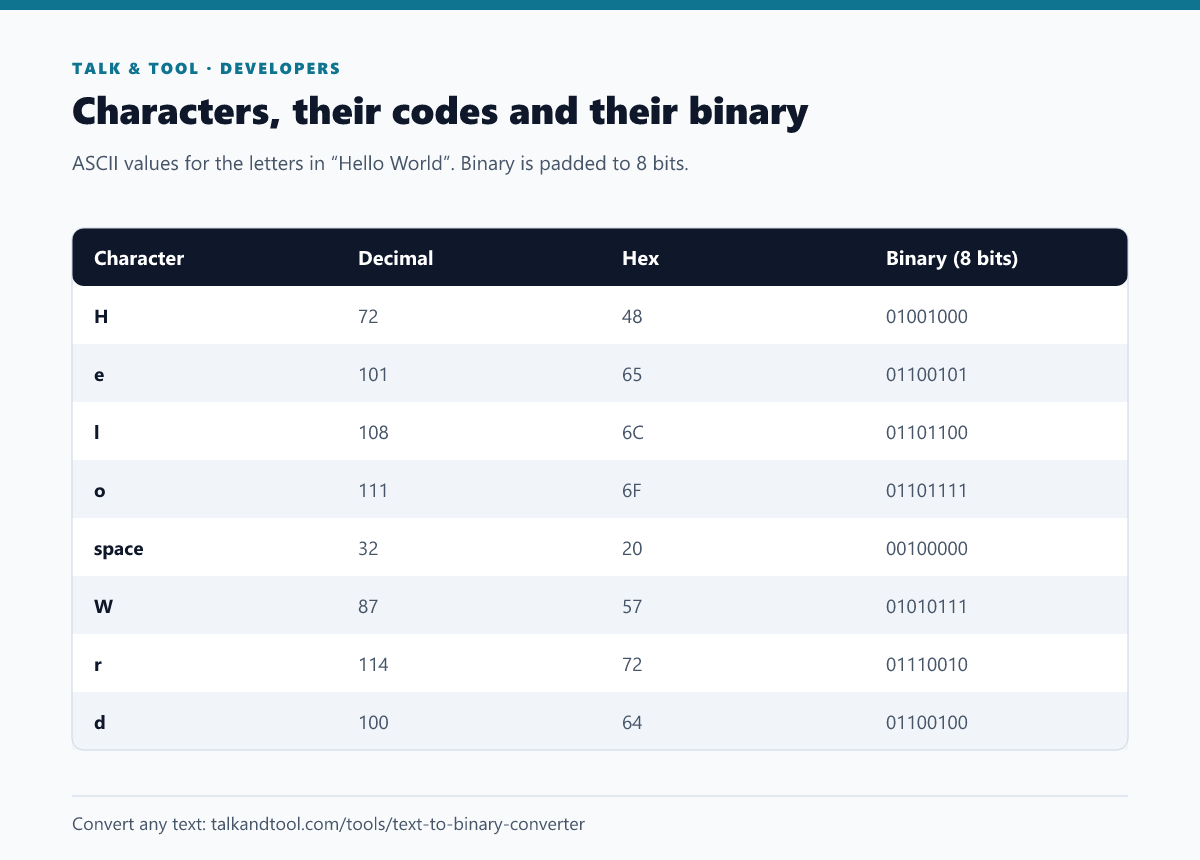
The reverse: binary to text
- Split the stream into groups of 8 bits.
- Convert each group to decimal by adding the place values where there is a 1 (128, 64, 32, 16, 8, 4, 2, 1).
- Look up the character for that number.
Take 01001000: 64 + 8 = 72 = H. Take 01101001: 64 + 32 + 8 + 1 = 105 = i. So 01001000 01101001 reads "Hi". If a stream has no spaces and its length is not a multiple of eight, the data is damaged or a bit is missing at the start.
Handy patterns
- Uppercase and lowercase differ by one bit. A is 01000001 and a is 01100001; adding 32 (the third bit from the left) switches case.
- Digits start at 48. The digit 7 is 55, which is 00110111. The binary of the digit character is not the same as the binary of the number 7.
- Every ASCII character starts with 0. The leading bit is unused in ASCII, which is why binary text of plain English always has a 0 first.
What about accents, symbols and emoji?
Characters outside ASCII need more than one byte in UTF-8. The letter é becomes two bytes (11000011 10101001), the euro sign € is three bytes, and most emoji take four. The first byte tells a decoder how many follow: a leading 110 means two bytes, 1110 means three and 11110 means four. A converter that always writes 8 bits per character will therefore mangle these, which is a common source of "binary translator" output that does not decode back.
Other bases: hex, decimal and octal
Programmers rarely write binary by hand because it is long. Hexadecimal packs four bits into one digit, so a byte is two hex digits: H is 48. Decimal and octal are also used in older systems and file permissions. For converting plain numbers between bases rather than text, use the number base converter. If you meet text that looks encoded but is neither, it may be Base64, which you can decode with the Base64 tool, or a hash, which is one-way and cannot be reversed.
The text to binary converter does all four bases in both directions, with UTF-8 support, and nothing is uploaded. Another character-based code worth knowing is Morse; see the Morse code alphabet chart, or try the Morse code translator. For background on how encoding changes data size, read ASCII vs UTF-8 explained.
Frequently asked questions
What is "Hello" in binary?
01001000 01100101 01101100 01101100 01101111.
Why is each character 8 bits?
Eight bits make a byte, which can hold 256 values. That is enough for ASCII and the standard unit of computer memory, so text is written in whole bytes.
How do I write a space in binary?
A space is ASCII 32, which is 00100000.
Is binary code the same as machine code?
No. Text in binary is data using a character encoding. Machine code is a set of binary instructions that a processor executes. Both are ones and zeros, but they mean different things.