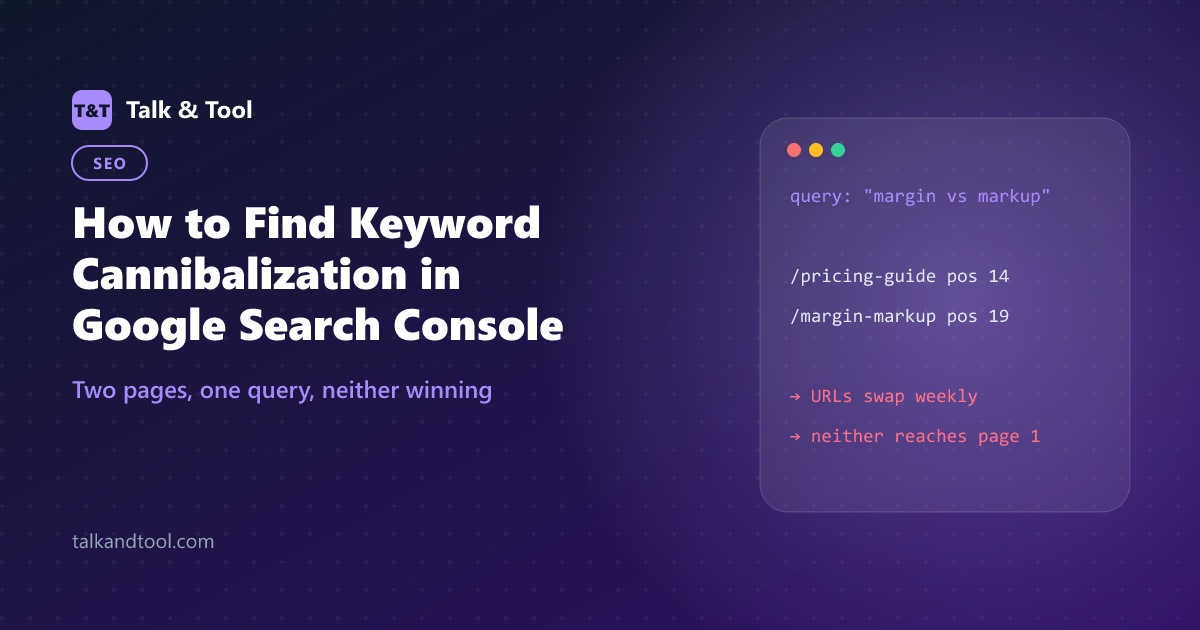
How to Find Keyword Cannibalization in Google Search Console
Keyword cannibalization happens when two or more of your pages compete for the same query, so Google keeps swapping between them and neither ranks as well as one strong page would. Google Search Console shows it clearly once you know where to look. Here is the step-by-step check, and how to tell a real conflict from harmless overlap.
What cannibalization looks like in the data
Search Console gives three symptoms. You need at least two of them before calling it a problem:
- Multiple URLs for one query. The Pages tab, filtered to a query, lists two or more of your URLs with a meaningful share of impressions.
- URL swapping. The URL that ranks changes from week to week, often with the position jumping as it swaps.
- A stuck position. The query hovers on page two for months despite a good page existing, because signals are split.
The manual check, step by step
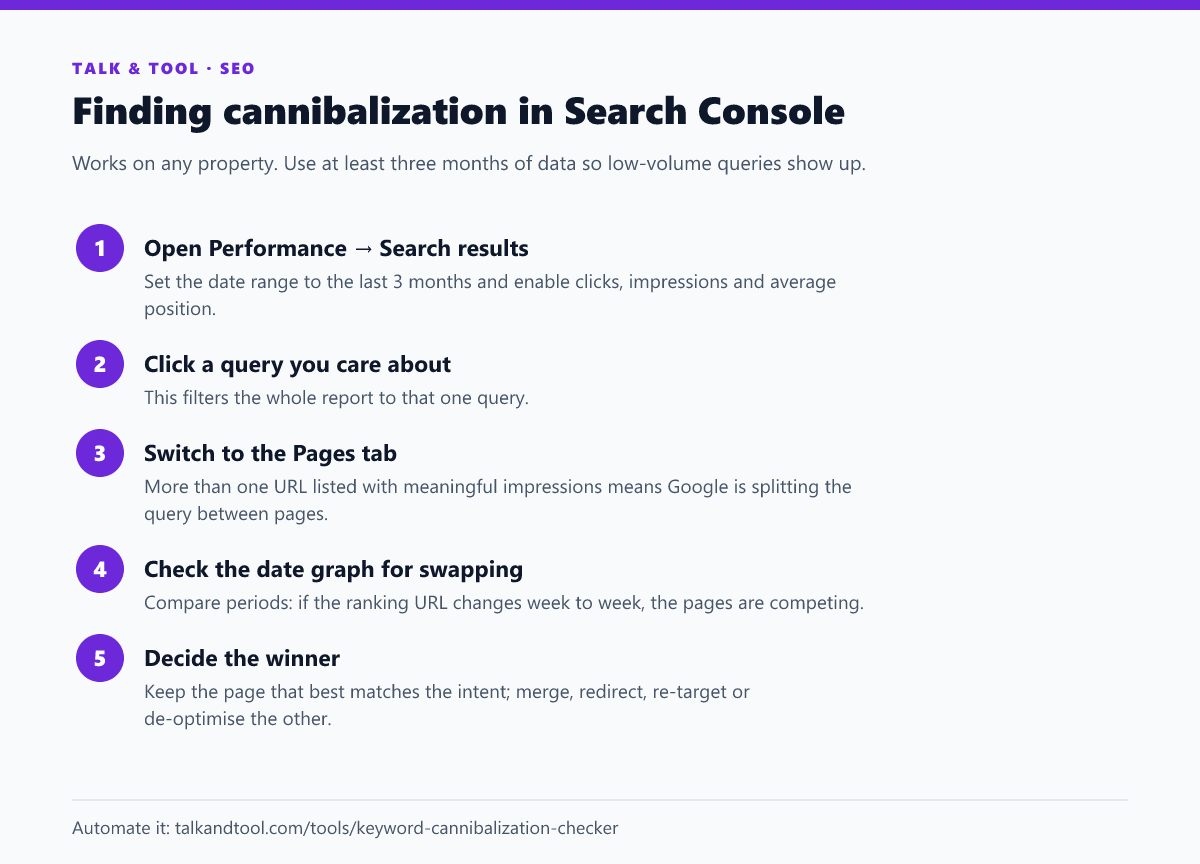
This works well for a handful of important queries. For a whole site it is slow: you would need to click through hundreds of queries one at a time.
Checking the whole site at once
Search Console's interface only shows query-to-page pairs one query at a time, but the underlying data has every pair. To audit everything:
- Export the Performance report with both Queries and Pages. The standard export gives them in separate tabs, which is not enough. You need the combined query-page rows, which the Search Console API, Looker Studio or the bulk data export provide.
- Group rows by query and keep the queries where two or more pages each have a meaningful share of impressions. A reasonable threshold is 10% or more each.
- Sort by total impressions, so the conflicts with the most at stake come first.
The keyword cannibalization checker does this grouping for you. Upload the export and it lists every query shared between pages, the split of impressions and clicks, and which URL currently wins most often. Everything runs in your browser, so the data never leaves your machine.
Overlap that is not a problem
Seeing two URLs for one query is common and often fine. Rule these out before changing anything:
- Brand queries. Your homepage, about page and product pages all appearing for your brand name is normal.
- Double listings. Sometimes Google shows two of your pages together, one indented under the other. That is extra visibility, not a conflict.
- Different intents on purpose. A calculator page and a guide explaining the calculation can both rank for a broad query. If each clearly wins its own specific queries, leave them alone.
- Tiny shares. A second URL with 3% of impressions at position 60 is noise.
- Technical duplicates. If the two URLs are the same page with and without a trailing slash, www, or a parameter, the fix is a canonical tag or redirect, not a content change.
Deciding which page should win
For each real conflict, pick the page that best matches what the searcher wants. That is usually the one Google already prefers most often, has more links, or converts better. Then choose a fix for the other page:
- Merge and redirect when the pages cover the same ground. Move the best parts of the weaker page into the stronger one and 301-redirect the old URL.
- Re-target when the weaker page has its own value. Rewrite its title, H1 and focus around a different, more specific query.
- De-optimise when the weaker page must stay as it is, for example a legal or product page. Remove the competing keyword from its title and headings, and link from it to the winner.
- Fix internal links in every case. Links using the query as anchor text should point to the winning page only.
Our earlier guide, how to fix keyword cannibalization without deleting good pages, goes through each fix in detail, including when deleting is the wrong move.
How to prevent it on new content
- Before writing, search your own site for the target keyword with
site:yourdomain.com keyword. If a page already covers it, update that page instead. - Keep a simple keyword-to-URL map, one row per primary keyword, and check it before briefing new pages.
- Cluster keyword lists before planning content. Queries that return the same results belong on one page. The keyword clustering tool groups them for you.
- Give every page a unique title and H1. Templates that repeat a category name in every title are a common silent cause.
How long until fixes show up?
After merging or re-targeting, the winning URL typically stabilises within a few weeks, once Google has recrawled both pages and processed the redirect. Track the specific query's position and ranking URL rather than site-wide averages. The first sign of success is the URL swapping stopping, and the position gain follows.
Frequently asked questions
Is keyword cannibalization a Google penalty?
No. It is not a penalty, just diluted signals. Google has to choose between your pages, and often ranks neither as well as it would rank one clear page.
How many pages is too many for one keyword?
One page per intent. Two pages can rank for a broad topic if each has its own specific focus. Two pages trying to be the answer to the same question is the problem.
Can I check for cannibalization without Search Console?
A site: search shows which pages Google associates with a keyword, but not impressions or position. Search Console data is far more reliable.