How to Convert Hours and Minutes to Decimal Hours (Chart)
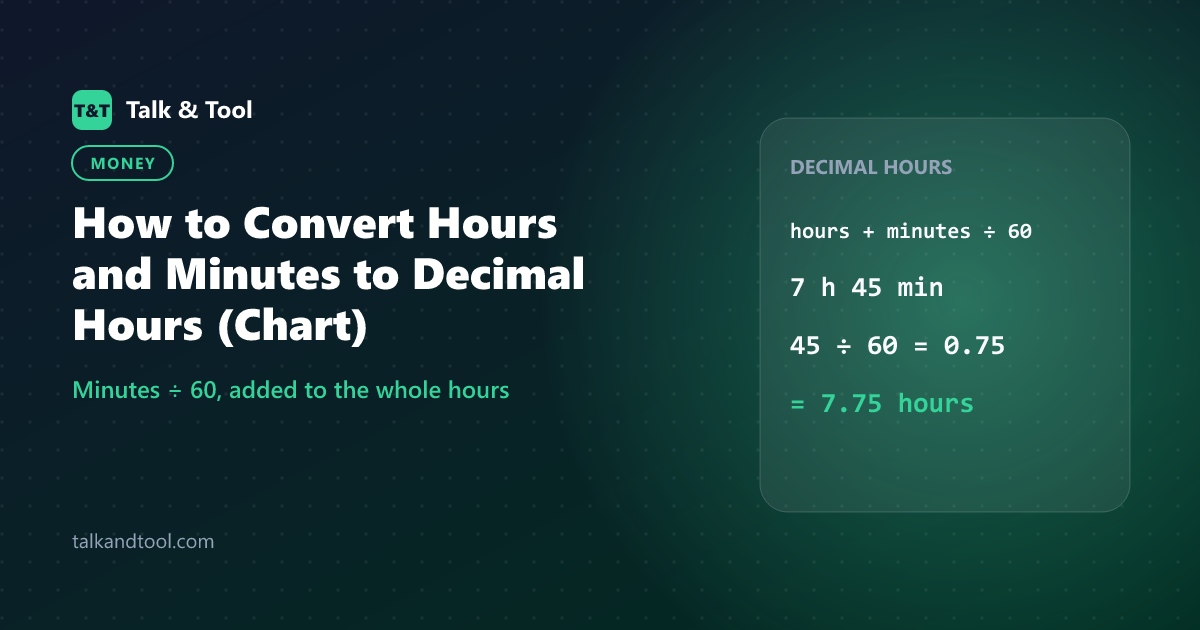
To convert hours and minutes to decimal hours, divide the minutes by 60 and add the result to the whole hours. 7 hours 45 minutes is 7 + 45 ÷ 60 = 7 + 0.75 = 7.75 hours. To convert back, multiply the decimal part by 60: 0.75 × 60 = 45 minutes. Payroll systems, invoices and timesheets often need decimal hours because they multiply directly by an hourly rate.
Why decimal hours exist
Time on a clock uses base 60: 60 minutes in an hour. Money and rates use base 10. If you earn $18 an hour and work 7 hours 45 minutes, you cannot multiply 18 by "7.45", because 7.45 would mean 7 hours 27 minutes. Converting to 7.75 makes the arithmetic correct: 18 × 7.75 = $139.50.
The most common error in timesheets is writing 7.45 for 7 hours 45 minutes. The digits after the point are fractions of an hour, not minutes.
The conversion formula
Decimal hours = hours + (minutes ÷ 60)
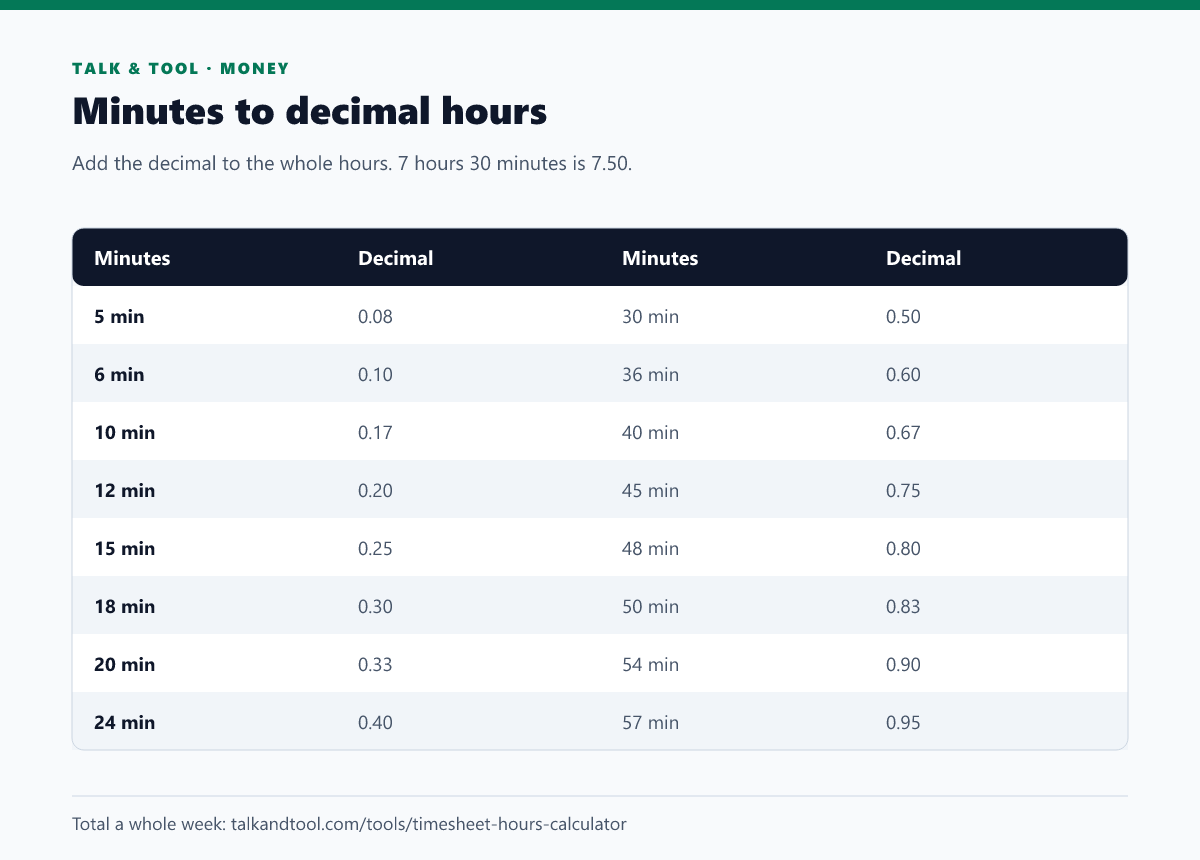
For a quick check use these anchors: 15 minutes = 0.25, 30 minutes = 0.50, 45 minutes = 0.75. Every other value lies between them.
Worked examples
- 3 h 20 min: 20 ÷ 60 = 0.33, so 3.33 hours (more exactly 3.3333).
- 8 h 10 min: 10 ÷ 60 = 0.17, so 8.17 hours.
- 6 h 54 min: 54 ÷ 60 = 0.90, so 6.90 hours.
- 40 h 15 min (a week): 15 ÷ 60 = 0.25, so 40.25 hours.
Rounding matters at scale. Rounding 20 minutes to 0.33 loses 0.0033 of an hour per entry. Over a year of daily entries at $25 an hour, that is under $25, but some employers round to the nearest quarter hour (0.25), tenth of an hour (6 minutes) or minute. Follow your payroll policy, and in places that regulate pay rounding, make sure it is neutral over time.
Converting decimal hours back to hours and minutes
Take the whole number as hours and multiply the decimal part by 60:
- 5.5 hours: 0.5 × 60 = 30, so 5 h 30 min.
- 2.2 hours: 0.2 × 60 = 12, so 2 h 12 min.
- 9.83 hours: 0.83 × 60 = 49.8, so about 9 h 50 min.
Adding up a whole week
When you total several days, add them as decimal hours rather than as clock times, or convert the final total once. Monday to Friday with daily shifts of 8.50, 7.75, 8.00, 9.25 and 6.50 hours adds up to 40.00 hours. Adding clock times instead (8:30 + 7:45 + 8:00 + 9:15 + 6:30) works too, but you must carry minutes over 60 into hours, which is where mistakes creep in.
The timesheet hours calculator does this for you: enter start and end times and breaks for each day, and it shows hours worked as hours and minutes and in decimal. For a single time span between two clock times, the time duration calculator works well. If you need the hourly equivalent of a salary or the reverse, use the salary to hourly calculator.
Excel and Google Sheets formulas
- Time cell to decimal hours:
=A1*24(format the result as a number). A time of 7:45 is stored as 0.3229 of a day; times 24 gives 7.75. - Decimal hours to a time:
=A1/24, formatted as [h]:mm. - Hours and minutes in separate cells:
=B1+C1/60. - Rounding to the nearest quarter hour:
=MROUND(A1*24, 0.25).
If the total of hours exceeds 24, use the custom format [h]:mm; otherwise Excel wraps the display back to zero at midnight.
Overtime and pay
Once your hours are decimal, pay is hours × rate, with overtime added on hours beyond a threshold. In the US, federal law generally requires time-and-a-half after 40 hours in a work week for non-exempt employees; other countries and many contracts set different limits. Our guide on calculating hours worked and overtime shows the full method with breaks and night shifts. To estimate the cost of a number of days, see days between two dates.
Frequently asked questions
What is 7 hours 30 minutes in decimal?
7.50 hours, because 30 minutes is half an hour.
What is 15 minutes as a decimal?
0.25 hours. It is a quarter of an hour.
Is 1.30 hours the same as 1 hour 30 minutes?
No. 1.30 hours is 1 hour 18 minutes (0.30 × 60 = 18). One and a half hours is 1.50.
How do I convert minutes only to a decimal?
Divide by 60. For 90 minutes, 90 ÷ 60 = 1.5 hours.