SEO Title Length in 2026: Pixel Limits and How to Check
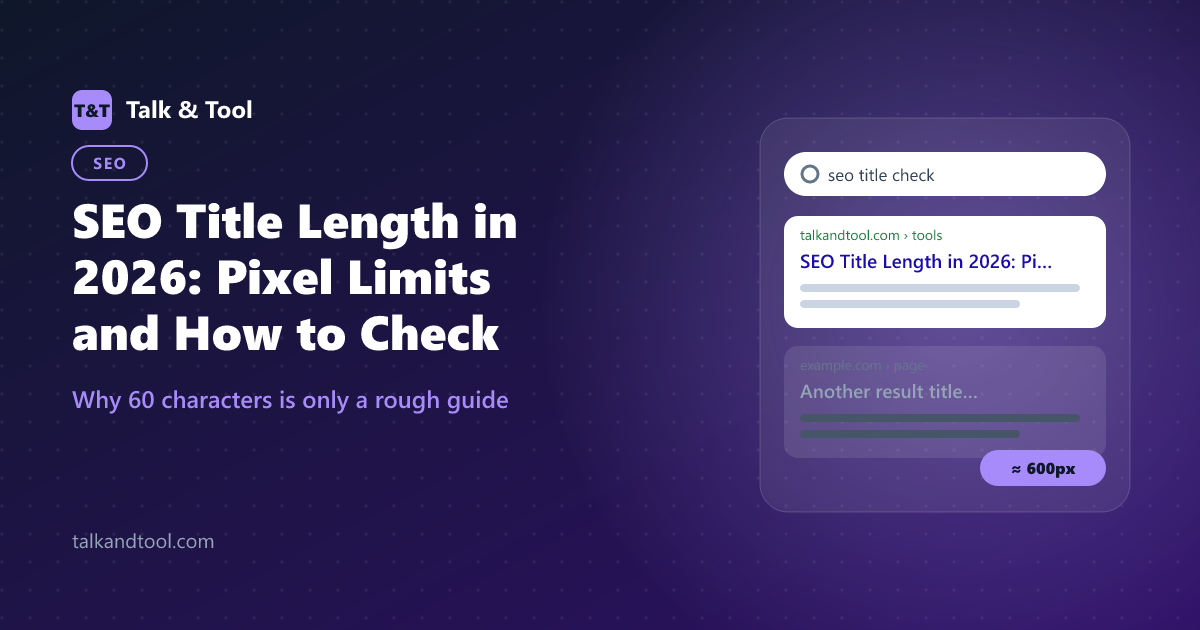
Google does not cut titles at a fixed number of characters. It cuts them when they run out of pixel width, around 600 pixels on desktop, which is why one 58-character title fits and another is truncated at 52. Here is how the limit works and how to check a title before you publish it.
The short answer: aim for 50–60 characters, then check the pixels
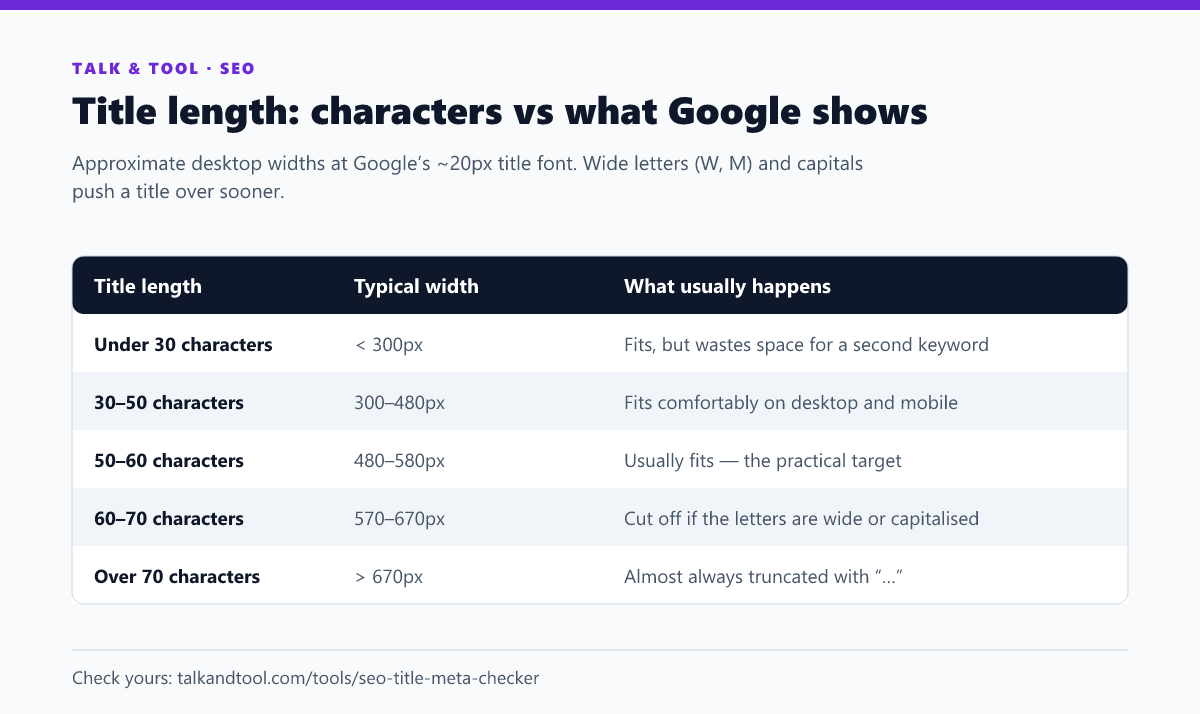
If you only remember one number, make it 50–60 characters. Most titles in that range display in full on desktop. But the character count is only a proxy for the thing that actually matters: how wide the title renders in the font Google uses for result headings.
A lowercase i or l is a sliver; a capital W or M is three or four times wider. So "Illinois little league info" and "WHOLESALE MACHINERY WAREHOUSE" have similar character counts and very different widths. A title written in Title Case, with lots of capitals, will hit the limit sooner than the same words in sentence case.
Why Google measures in pixels
The results page has a fixed column width. Google fills each title line until the next word no longer fits, then either wraps (on mobile, where titles can take two lines) or truncates with an ellipsis (on desktop, where the title normally gets one line). The practical desktop limit sits close to 580–600 pixels. Because it is a layout limit, it shifts slightly with Google's design changes, which is why SEO tools disagree by a few characters.
Mobile is more forgiving because the title can wrap, but the first line is what people actually read while scrolling. Put the words that decide the click there.
How to check a title's pixel width
- Paste the title into a preview tool. The SEO title and meta description checker measures the pixel width in the browser and shows where Google would cut the text, alongside the meta description.
- Look at the last visible word. If the truncation lands mid-phrase ("How to Calculate Your Freelance Hourly…"), the title still works. If it swallows the keyword or the reason to click, rewrite it.
- Check your brand suffix. Many sites append " | Brand Name" automatically. That suffix costs 60–120 pixels, so the title you type in the editor is not the title Google measures.
- Test the whole site, not one page. Templates are where long titles come from: a category name plus a product name plus a brand can overflow on every page at once.
Google may rewrite your title anyway
Since 2021 Google has generated its own result titles when it thinks the page's title element describes the page poorly. It pulls from the main heading, prominent text, or anchor text of links pointing at the page. Google has said it still uses the page's own title in the large majority of cases. Rewrites are most likely when a title is:
- Too long. A title that would be heavily truncated is a prime candidate for replacement.
- Stuffed. "Word Counter, Word Count Tool, Count Words, Free Word Counter" reads as keyword stuffing and usually gets rewritten.
- Boilerplate. The same title on dozens of pages, or a title that is only the site name, gives Google nothing to work with.
- Out of step with the H1. When the title promises one thing and the page heading says another, Google tends to trust the heading.
The fix is the same in every case: one clear, specific title per page that matches the H1 and fits the width. That is also the version most likely to earn the click.
What makes a title get clicked, not just fit
Fitting within 600 pixels only gets the title shown in full. Whether anyone clicks depends on how well it answers the query. The titles that consistently outperform their position tend to:
- Lead with the query's own words. Someone searching "seo title check" is scanning for those words. Putting them first lets the bolded match land where the eye starts.
- Promise a specific outcome. "How to Calculate Business Days (Excel and by Hand)" beats "Business Days Guide" because it tells the searcher exactly what they get.
- Add a qualifier that matches intent. Year, "free", "step-by-step", "with examples" or "for beginners" are only worth their pixels when they are true and relevant to the search.
- Avoid clickbait the page cannot pay off. A title that overpromises gets clicks and then a quick return to the results. That does the page no favours.
Once a page has a few weeks of data, compare its click-through rate with what its average position would predict. The Search Console CTR analyzer flags pages whose CTR is well below the expected curve, and those are the titles to rewrite first.
Title length and the meta description work together
The snippet under your title is truncated the same way, by pixels. On desktop that is roughly 920 pixels, or about 150–160 characters. Google rewrites descriptions far more often than titles, but a well-written one still gets used when it matches the query. We covered that in detail in how to write meta descriptions that earn the click.
If you are writing both from scratch, the meta tag generator produces the title, description, canonical and social tags together, so they stay consistent.
A quick pre-publish checklist
- Main keyword in the first half of the title.
- 50–60 characters, confirmed under about 580 pixels including any brand suffix.
- Different from every other title on the site.
- Says the same thing as the page's H1, in the same order of importance.
- Sentence case unless your brand style demands otherwise. It is narrower and easier to read.
- No repeated keywords, no pipe-separated keyword lists.
Frequently asked questions
What is the maximum SEO title length?
There is no hard maximum. Google indexes long titles. It just does not display all of them. The display limit on desktop is about 580–600 pixels, which works out to roughly 50–60 characters for typical English text.
Do long titles hurt rankings?
Not directly. The risks are indirect: a truncated title can hide the part that earns the click, and an overlong or stuffed title is more likely to be rewritten by Google.
Does the title count toward the pixel limit on mobile?
Mobile titles can wrap onto a second line, so more text is visible. Write for the desktop limit and you are safe on both.
Should I include my brand name in every title?
On the homepage and for well-known brands, yes. On long-tail content pages, the brand suffix often pushes the useful words out of view. Google frequently shows the site name separately anyway.