Striking Distance Keywords: Turn Page-2 Rankings Into Clicks
Striking distance keywords are queries where you already rank on page two, positions 11 to 20. Google already considers the page relevant, so a focused update often moves it onto page one within weeks. Here is how to find them, choose the right ones, and push them over.
Why page two is the best place to look
New content is a slow bet: you do not know whether Google will rank it or for what. A page sitting at position 14 is a known quantity. It is indexed, it is judged relevant to the query, and it is being shown to searchers, just not to many of them.
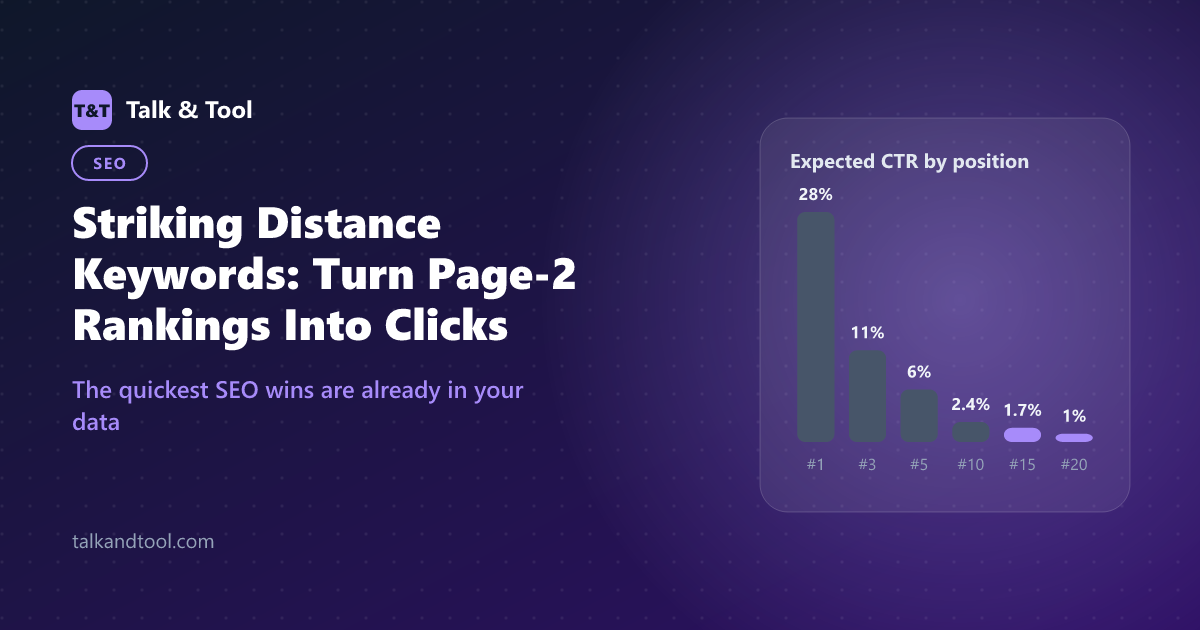
The payoff for moving it is steep because click-through rate collapses after the first few results. Using a typical industry CTR curve, a result in position 3 gets around 11% of clicks, position 10 about 2.4%, and position 15 under 2%. The chart below shows what that means for a query with 5,000 impressions a month.
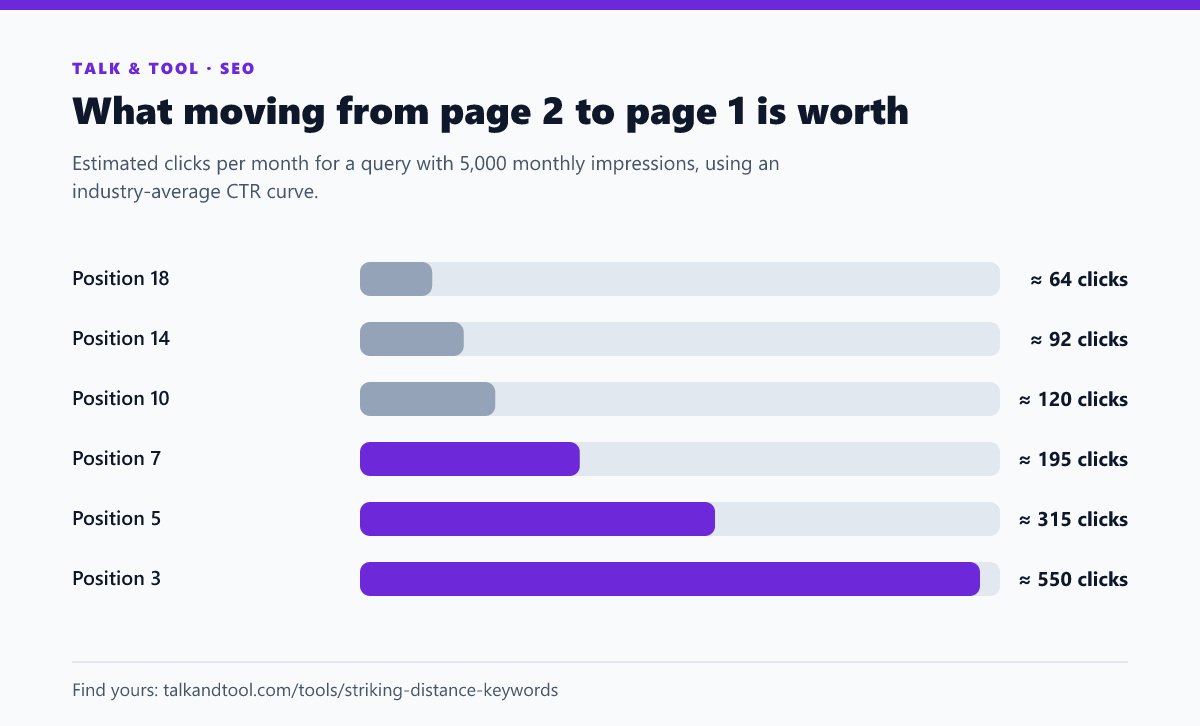
These figures are averages. Real CTR depends on ads, featured snippets, brand strength and device. But the shape of the curve is consistent enough to prioritise with.
How to find striking distance keywords in Search Console
- Open Performance → Search results and set the date range to the last three months. Anything shorter is too noisy for low-volume queries.
- Enable Average position alongside clicks and impressions, then open the Queries tab.
- Filter position. Search Console has no position filter in the table itself, so export to Sheets or CSV and filter for an average position between 11 and 20.
- Set an impressions floor. A query with 12 impressions at position 13 is not worth an afternoon. Start with 100+ impressions over the period and lower it for small sites.
- Add the page. For each query, check the Pages tab to see which URL ranks. If two URLs share the impressions, you have a cannibalization problem to fix first.
The striking distance keywords tool does steps 3–5 in one pass. Upload the Search Console export and it lists the page-two queries, estimates the extra clicks each would earn at position 5, and sorts them so the biggest opportunities come first.
Which ones to push first
Not every page-two query is a quick win. Sort your list by these three questions:
- Does the page actually answer the query? If a query about "flat rate vs APR" is ranking a general loan page, the page is borderline relevant, and the right move may be a dedicated section or a new article.
- How many impressions? The estimated click gain scales with impressions. Rank by estimated extra clicks, not by position.
- What is on page one? Search the query. If page one is all big brands with exact-match pages, position 14 may be your ceiling for now. If it is forums, outdated posts or thin pages, you have a real shot.
How to move a page from page two to page one
Most striking distance improvements come from making the page more clearly about the query, not from making it longer.
1. Put the query where Google looks first
Check the title, H1 and first paragraph. If the query, or a close variant of it, is missing from all three, add it naturally. That is often the entire fix. Keep the title within the width Google displays, as covered in SEO title length and pixel limits.
2. Add a section that answers the query directly
If the query is a question ("how can apr be lower than interest rate"), add an H2 with that question and a direct two- or three-sentence answer under it. That is also the format Google pulls featured snippets from.
3. Point internal links at the page with descriptive anchors
Internal links are the lever you fully control. Find three to five relevant pages on your site and link to the target page using anchor text close to the query. A link from a page that already gets traffic is worth more than one from a page nobody visits.
4. Refresh what has gone stale
Update outdated figures, screenshots, prices and years. If the page's traffic has been falling rather than stuck, it may be a decay problem rather than a relevance problem. The content decay checker compares two periods and separates the two.
5. Improve the snippet once you reach page one
When the page lands in the top ten, CTR becomes the constraint. Compare its CTR with the expected rate for its position using the CTR analyzer, and rewrite the title and description if it is underperforming.
How long before you see results?
Google needs to recrawl the page and re-evaluate it, which for most sites takes days to a few weeks. Request indexing in Search Console after a meaningful update, then compare the four weeks after the change with the four weeks before. Look at average position for the specific query, not the page's overall average, which mixes in hundreds of unrelated queries.
If nothing moves after six to eight weeks, the page is probably missing something page one has: depth, a tool, better examples, or stronger links. That is when a larger rewrite is justified.
Common mistakes
- Chasing position 11 on a 20-impression query. Rank by potential clicks, not closeness to page one.
- Stuffing the query into every paragraph. One clear mention in the title, heading and intro does more than ten forced repetitions. Check with a keyword density checker if you are unsure.
- Changing the URL. A new URL resets the signals the page has built. Update the content in place.
- Editing many things at once on many pages. Change one batch of pages at a time so you can tell what worked.
Frequently asked questions
What positions count as striking distance?
Most SEOs use positions 11–20, the second page of results. Some extend it to positions 4–20 because moving from 8 to 3 is also a large CTR gain.
Is average position in Search Console accurate?
It is an average across every impression, so a page shown at position 5 on some searches and 25 on others will report 15. Use it to shortlist queries, then check the live results before investing effort.
Do I need paid tools to find them?
No. Search Console has all the data you need. Paid tools add estimates for keywords you do not rank for yet, which is a different job.